Device Pre-Provisioning via Kafka
Overview
Purpose and Applicable Scenarios
The core purpose of using Node-RED for device data stream forwarding is to provide a visual, low-code data flow bridging solution for systems already using Kafka as a message middleware. This involves optionally processing device data from Kafka topics and then forwarding it to an MQTT protocol interface, thereby connecting to the Neuron data platform.
This method is suitable for scenarios requiring rapid protocol conversion and data routing between Kafka and MQTT, preferring a flexible, graphical programming approach over pure code development to build data pipelines. It is especially suitable for prototyping or integration projects without high demands for complex data stream processing.
Access Method & Prerequisites
How to access
There are many ways to install Node-RED. This guide assumes you have basic terminal/command line skills and administrative rights to the server. You can find some common installation instructions on YouTube: https://www.youtube.com/watch?v=TbXU3PRDN1w
After installation, access it via the Node-RED instance deployed locally or on your server.
Before You Start
Ensure you have server administrator privileges, the Node.js runtime environment is installed, and the service connection information and authentication credentials for the target Kafka cluster and MQTT Broker are ready.
Node-RED Operations
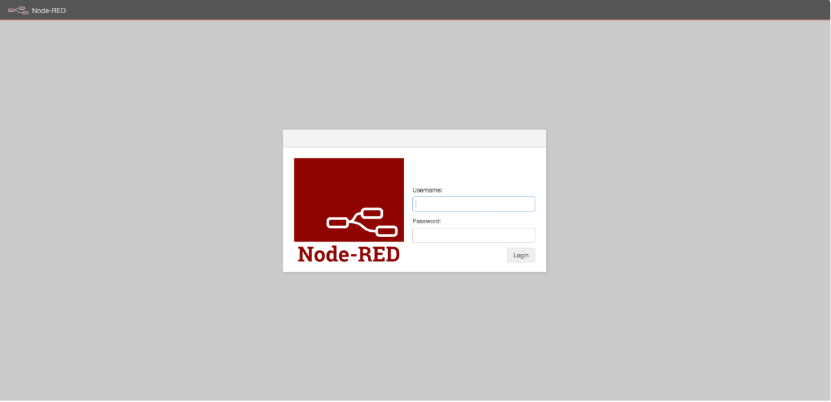
Step 1. Log in to Node-RED
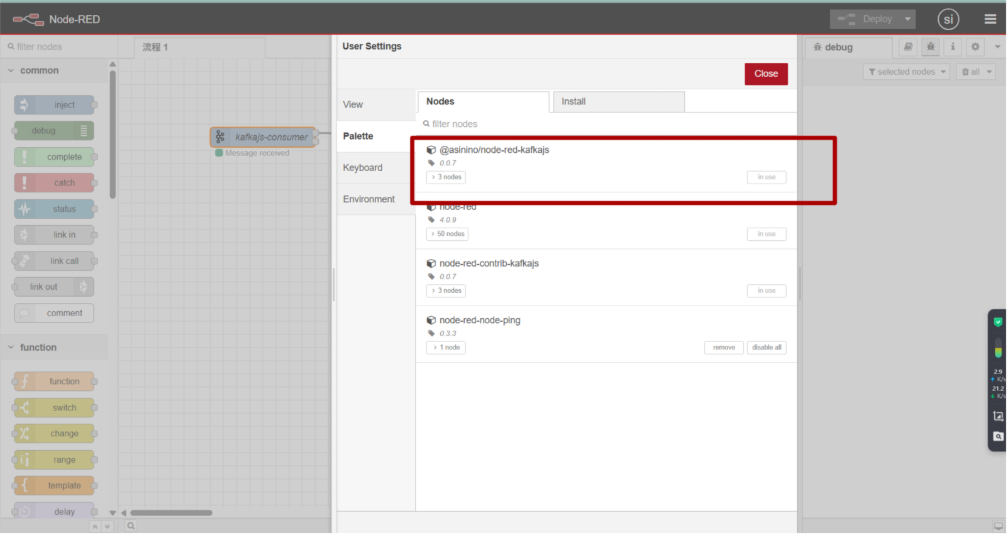
Step 2. Install Kafka Node
Find the corresponding "Kafka" node in the user settings page and download it.
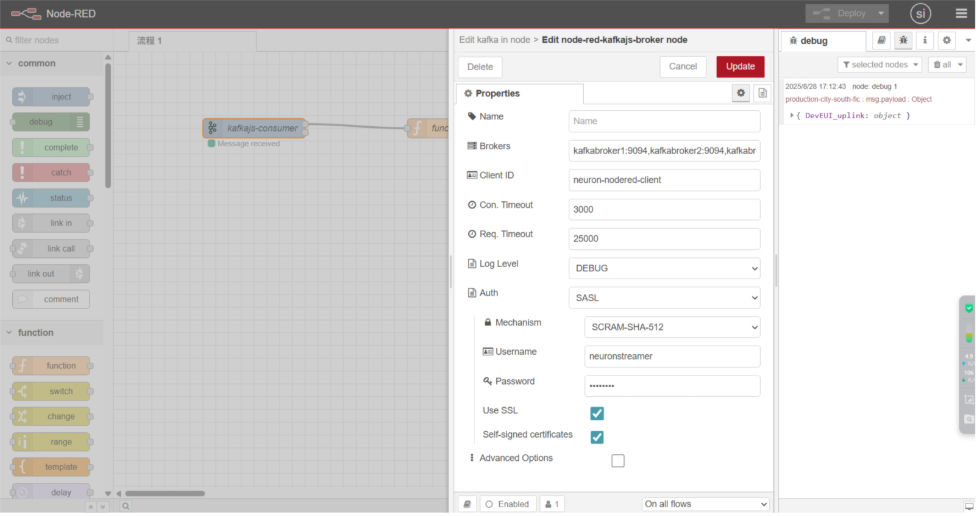
Step 3. Configure Kafka Input Node
Drag the "kafka in" node from the node panel. Double-click the node to configure the connection information for the Kafka service.

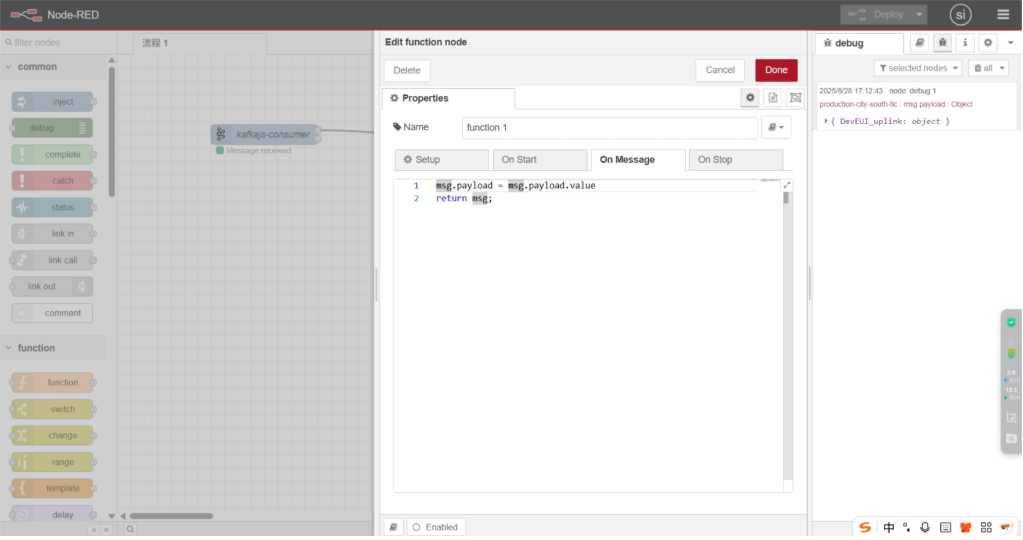
Step 4. Add Data Processing Node
Drag the "function" node and connect it to the Kafka node. Use it to implement data parsing or format conversion logic.
Step 5. Configure MQTT Data Publishing
Finally, use the "MQTT OUT" node connected to the end of the flow. Configure the MQTT Server and Topic information to publish the processed data to the specified MQTT Topic.
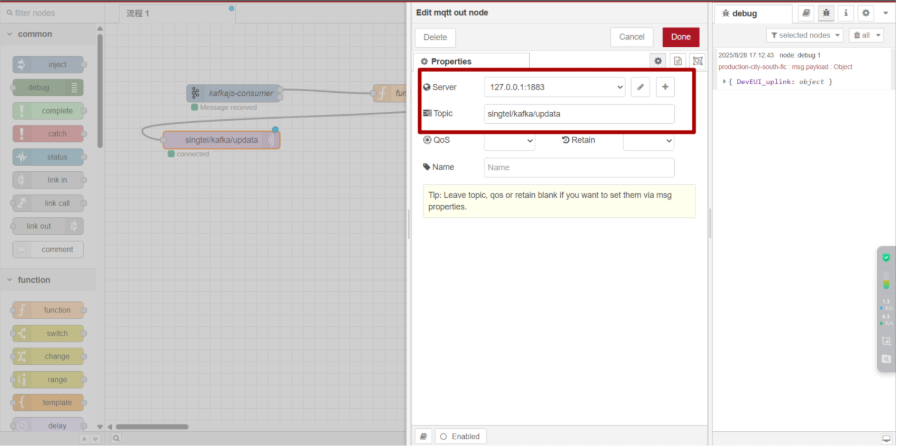
Device Access to Neuron Data Platform
Refer to MQTT Device Access to register the device on the Neuron platform.
When accessing the Neuron platform via MQTT, you need to select the MQTT Server and Topic consistent with the configuration above.