Device Management
Overview
The Device Management function is used to centrally manage devices in the IoT Hub. You can manually add LoRaWAN devices or synchronize devices already connected to the Data Platform with one click, enabling centralized viewing and management of device information.
Access Method and Prerequisites
How to access
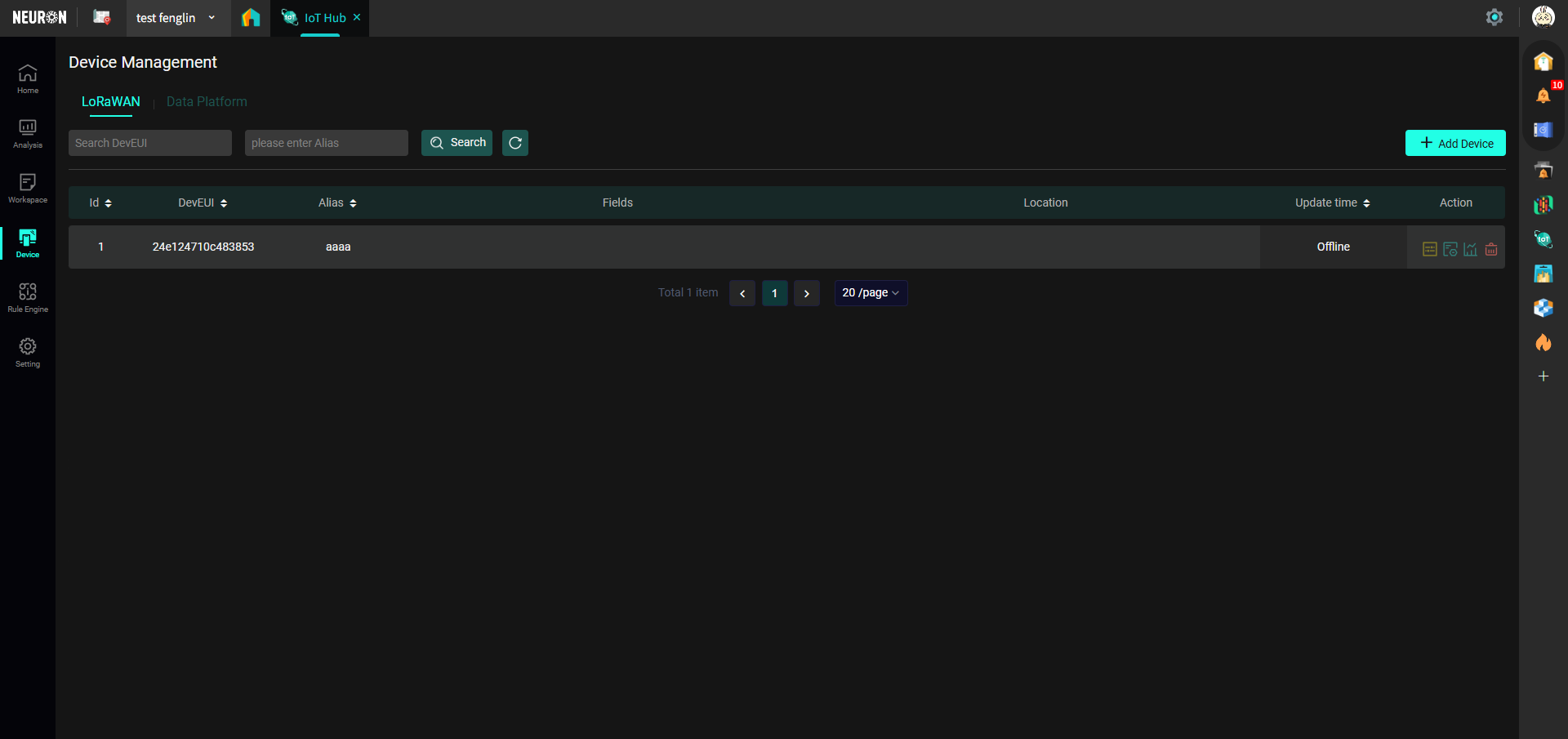
Click the "Devices" button in the left menu bar to enter the Device Management interface:
Before You Start
Permission Configuration
Your account needs Project Administrator permissions to perform update operations on Data Platform devices in the device list.
Prerequisite Configuration
Device Management involves two types of devices: LoRaWAN and Data Platform devices.
To view Data Platform devices, you need to confirm that your devices have been connected to the Data Platform. For detailed operations, please refer to the Device Access Guide.
If devices require secondary calculation, you can refer to ETL Calculation.
IoT Configuration
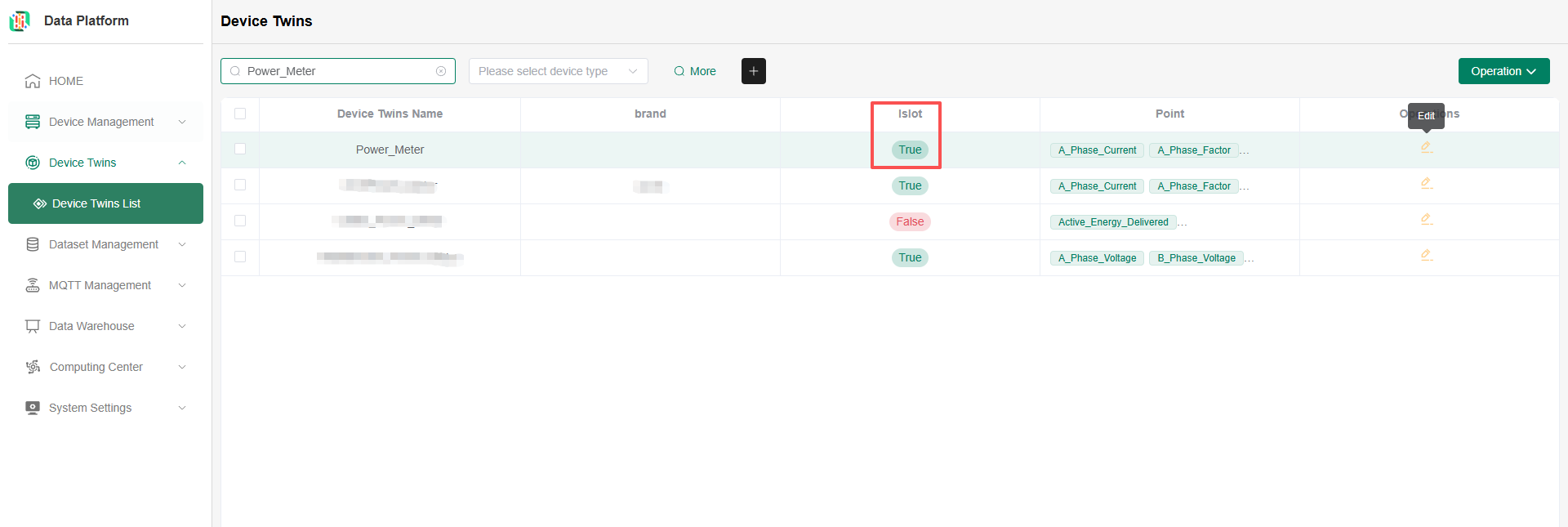
Device Management can only fetch devices that have been successfully connected to the Data Platform and whose type is IoT. You need to visit the Data Platform Device List to check if the thing model configured for your device is IoT, as shown below:
LoRaWAN Devices
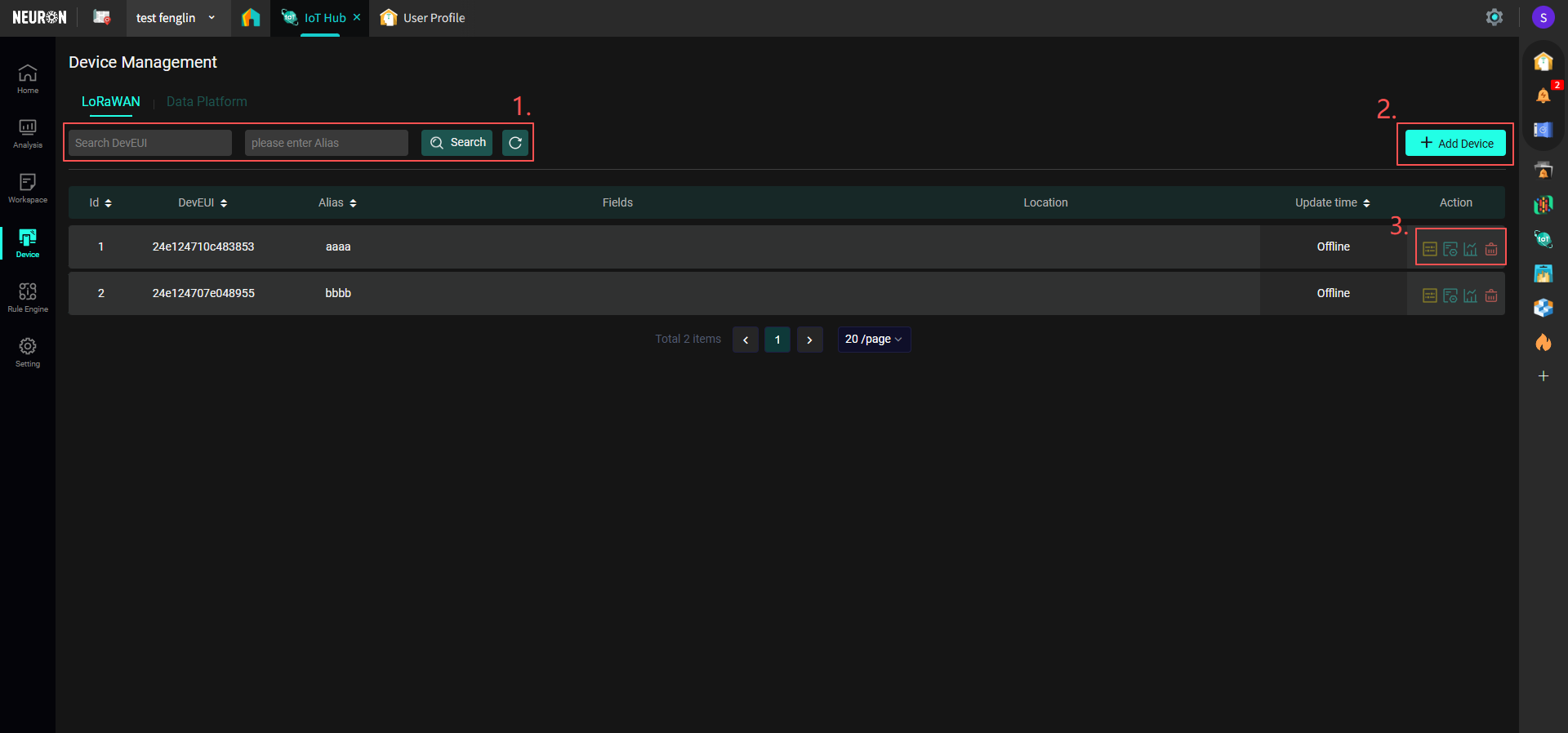
- Supports searching by entering the device's DevEUI or alias; click Refresh to reset search criteria and reload the current page.
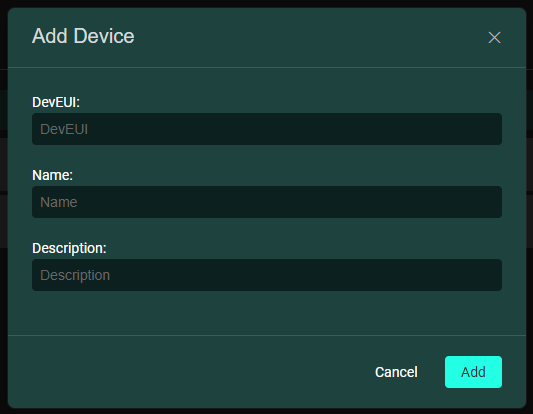
- Click "Add Device", enter the device DevEUI, Name, and Description to add a new device.
- From left to right: the time interval for device data records, edit device information, view device data records, delete device.
Data Platform Devices
Devices associated within the IoT Hub application most often come from the Data Platform. After you complete Device Network Registration, you need to synchronize the devices on this page (Step 2 in the figure below).
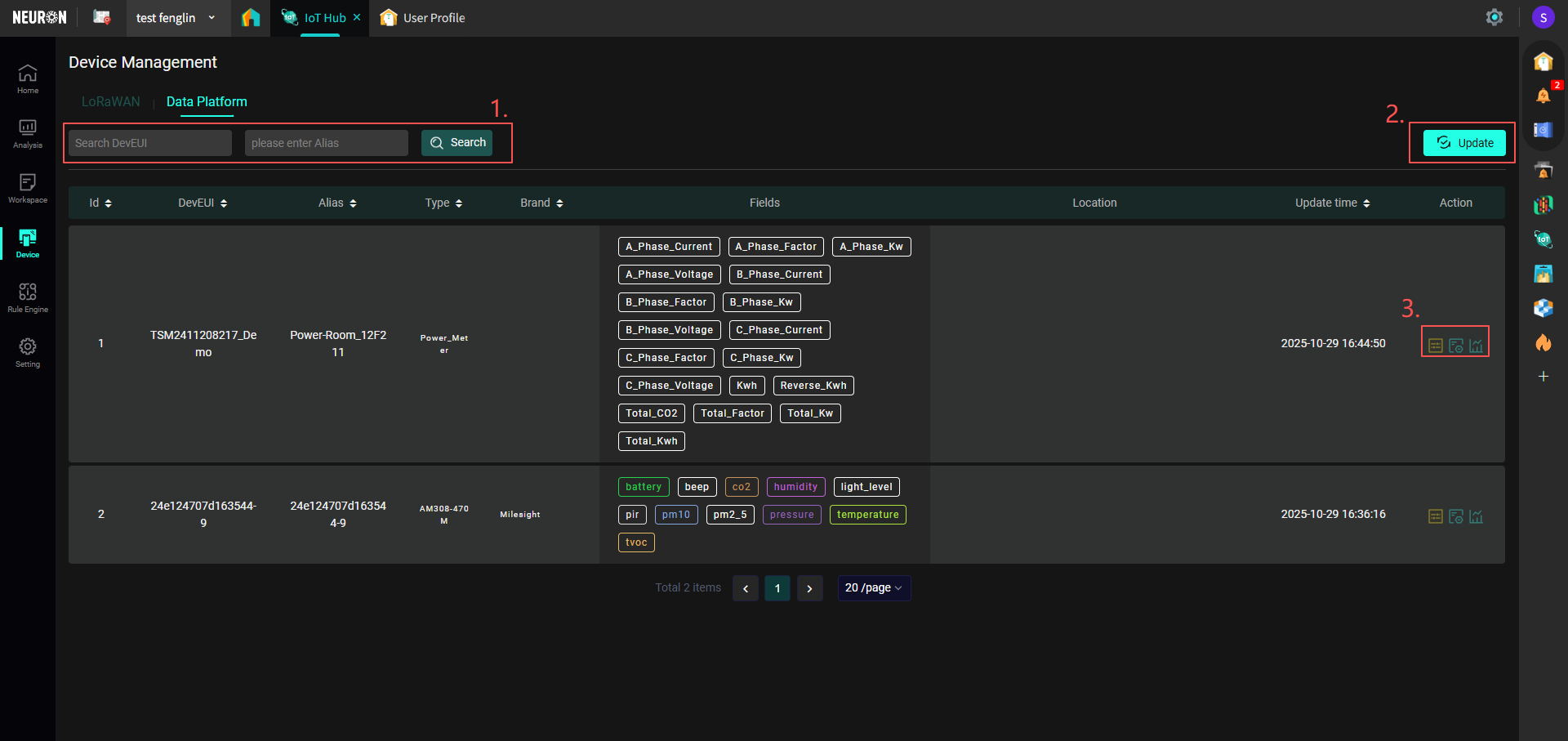
- Supports searching by entering the device's DevEUI or alias.
- Click "Update" to synchronize Data Platform devices.
- From left to right: the time interval for device data records, edit device information, view device data records. Deletion of devices is not supported on this page; if deletion is needed, please proceed to Device Deletion.