Data Analysis
Overview
This module allows users to view trends of all device data within their permissions, query raw data (users can customize the range settings for each data type), and also supports custom data export.
Feature Details
Click the "Analysis" button in the left menu to enter the homepage:
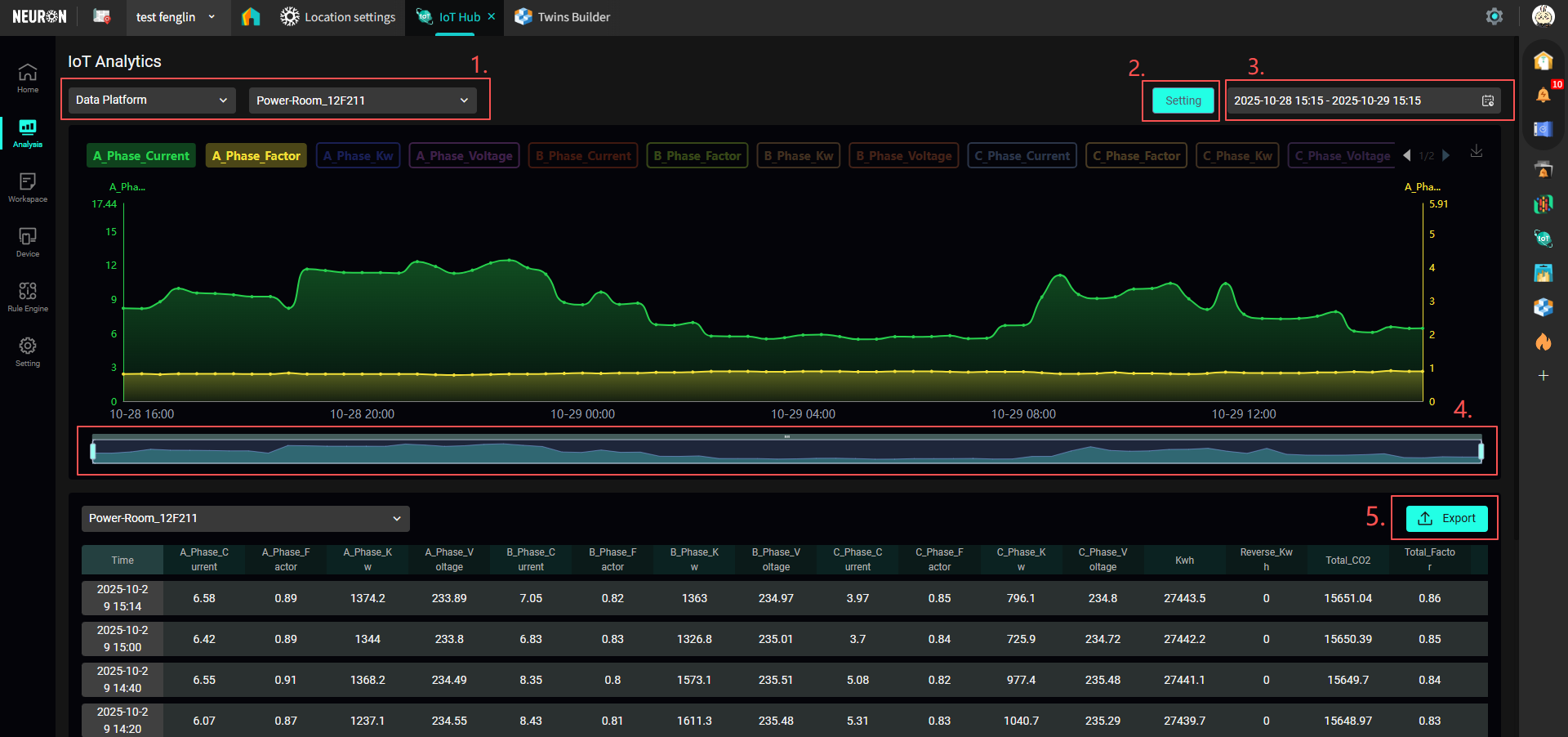
- You can select the data source "LoRaWAN / Data Platform"; select the device name;
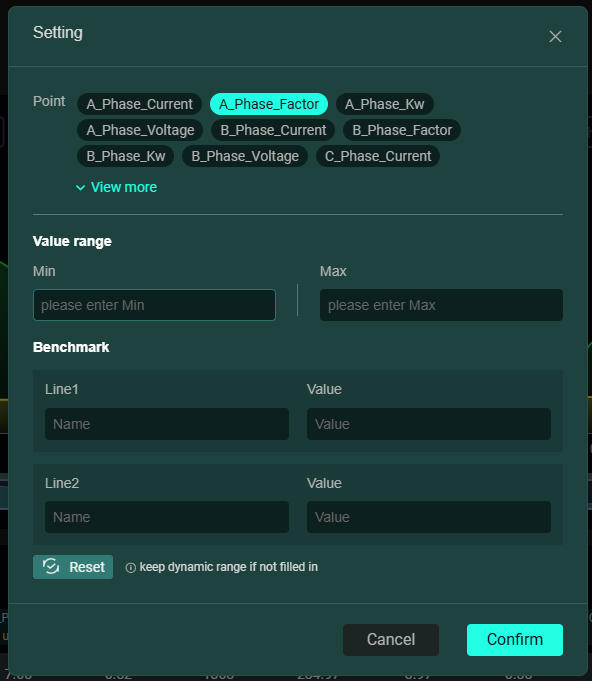
- You can set the data range for different fields;
- You can set the time range for viewing device data;
- Within the current data time range, you can select a smaller interval to display;
- You can export the current device data.