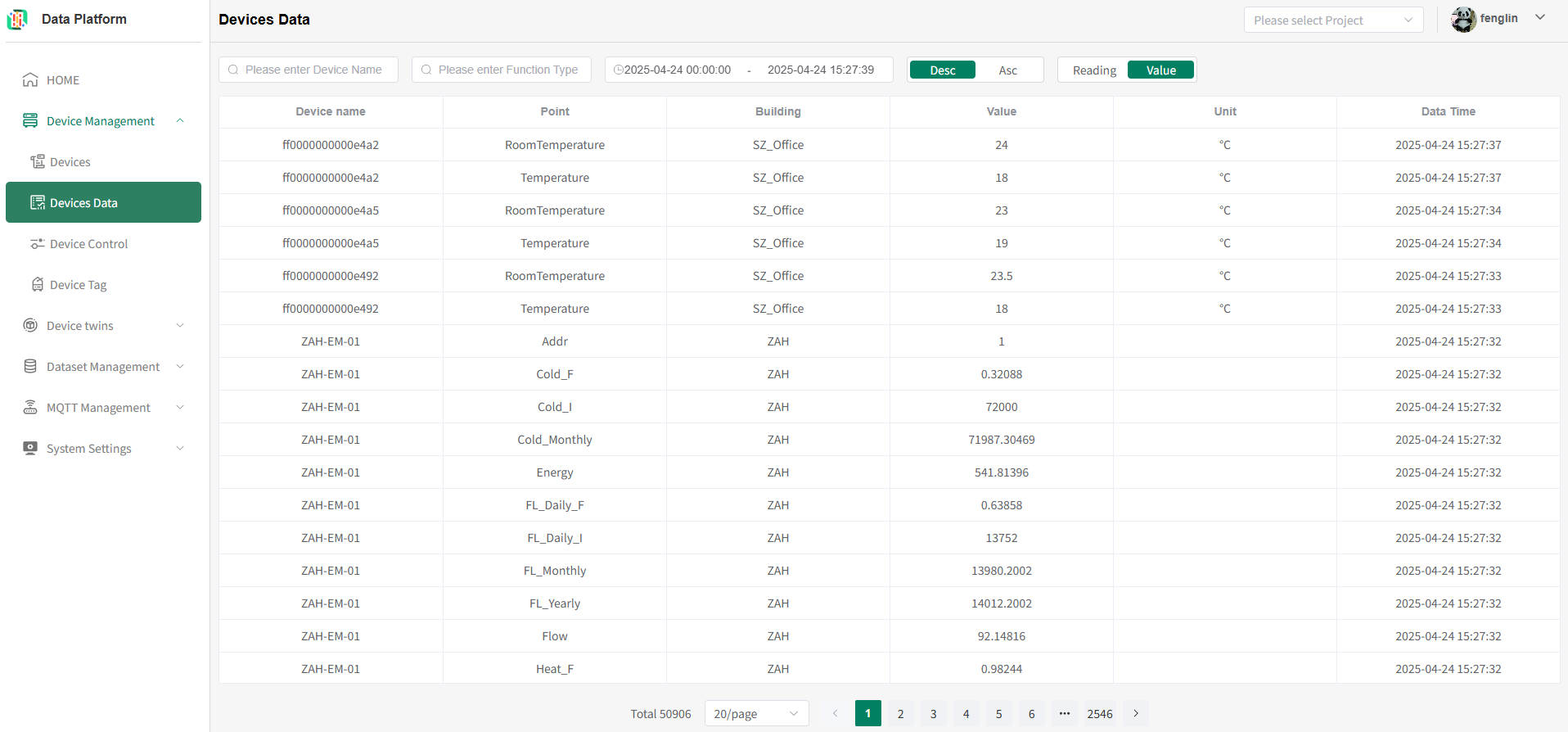
Device Data
Overview
The Device Data module provides users with a centralized interface for time-series data querying and analysis. By combining various conditions such as device name, points, and time range, users can flexibly and efficiently retrieve the required historical and real-time device data, thereby supporting data monitoring, fault troubleshooting, and analysis decision-making.
Access Method
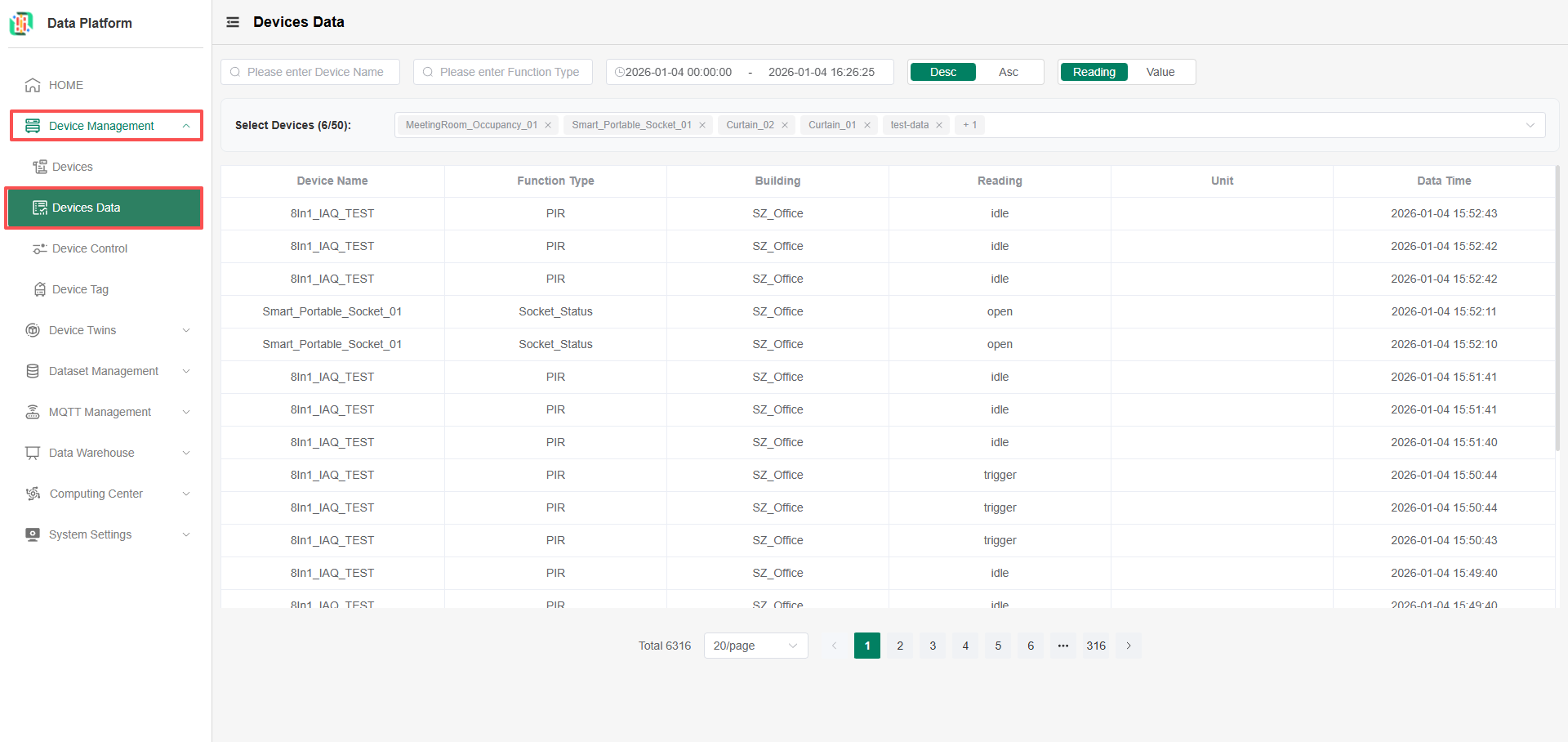
In the tenant version of the platform, click the 'Device Management' menu, select 'Device Data' to enter the Device Data module;
Query Parameter Description
tip
You can query the time-series data of device points accessible by the current user; parameters are combined for querying, and data can be viewed if all conditions match.
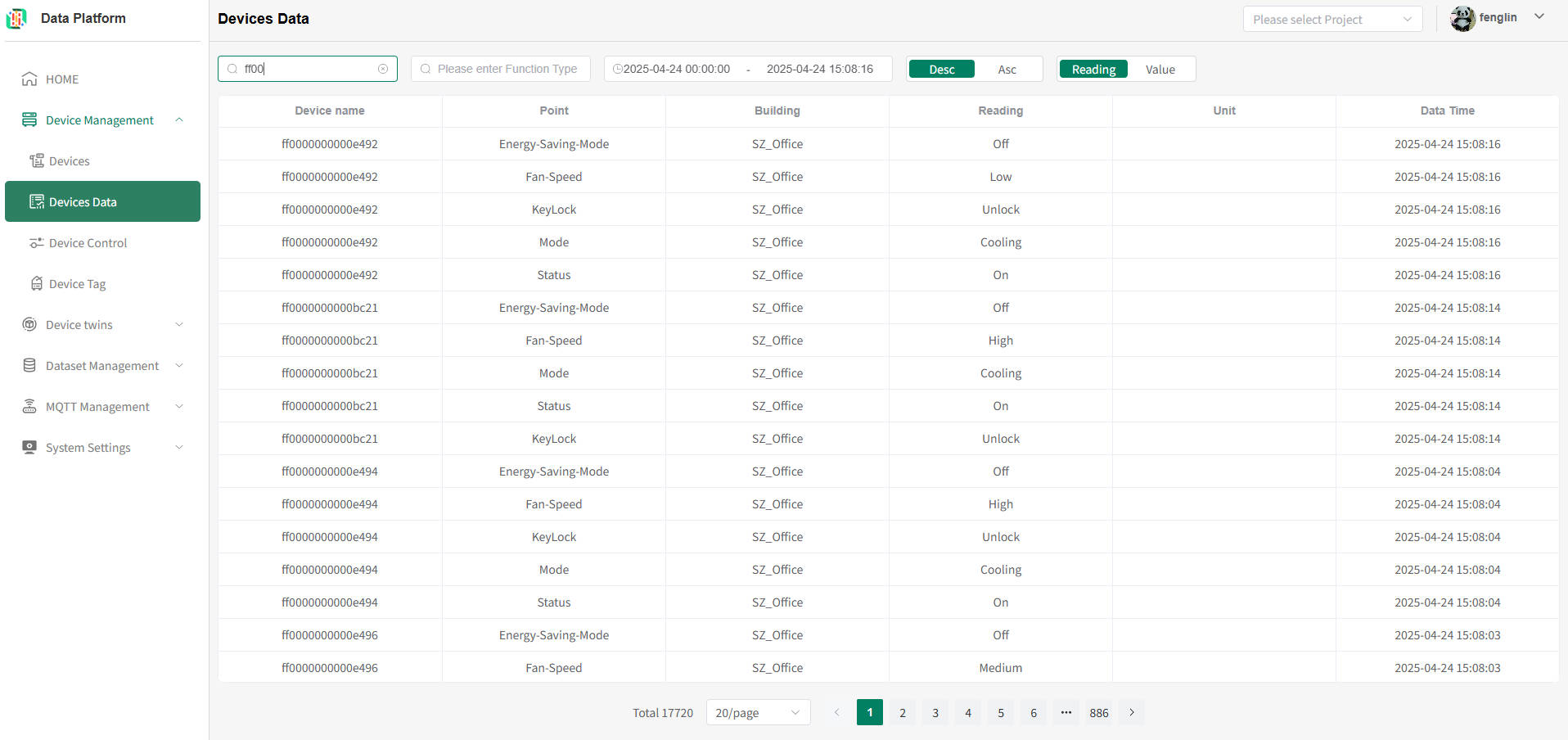
- Device Name: Supports fuzzy matching query. Enter the device name you need to query to get the latest Point data for all matched devices, as shown below:
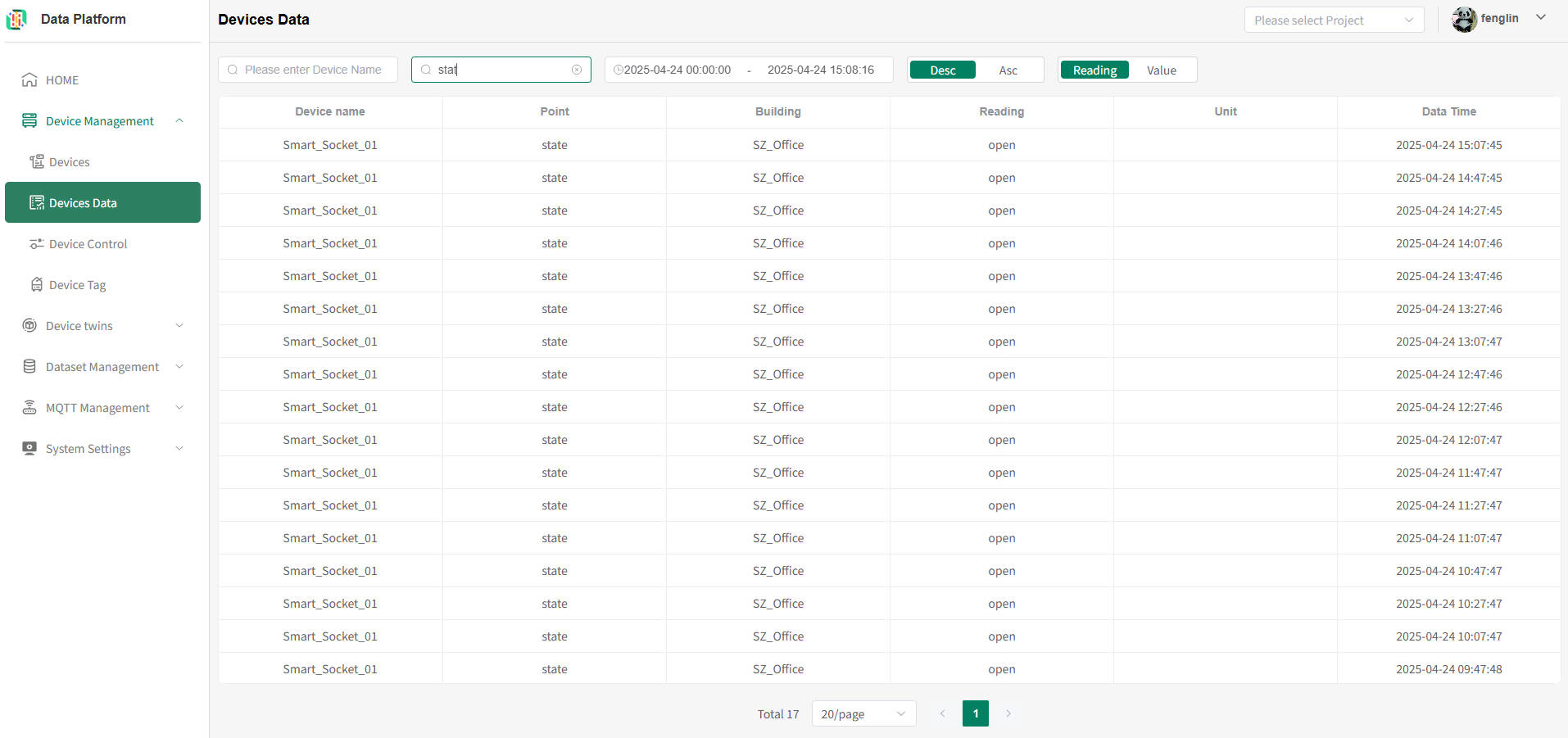
- Device Point: Supports fuzzy matching query. Enter the device point name you need to query to get the latest Point data for all matched devices, as shown below:
- Time Range: No time limit; you can query device data for any time period, as shown below:
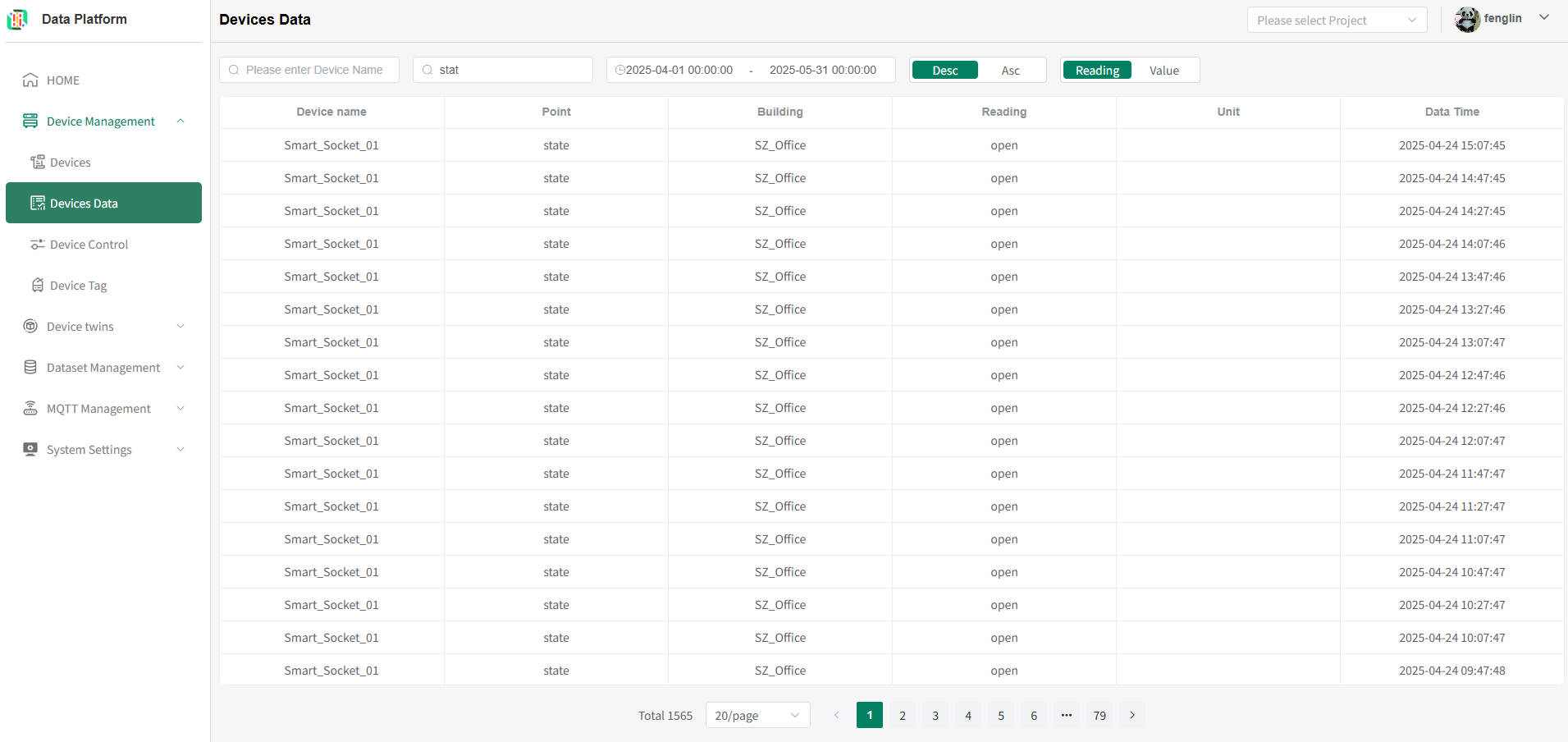
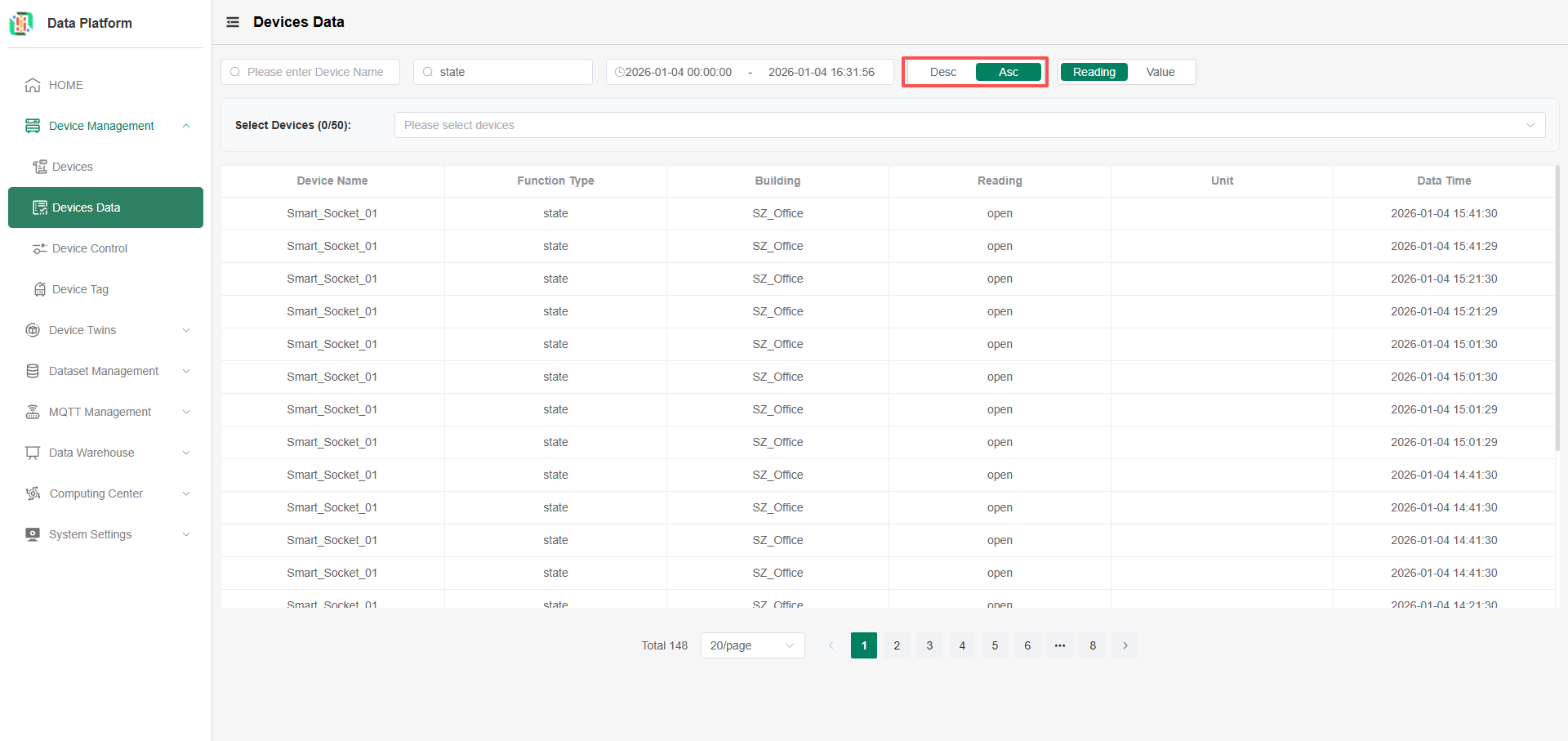
- Time Descending or Ascending Order: Desc for descending order by time. Switch to Asc for ascending order by time, as shown below:
- Data Type: The system defaults to Reading query. Can be switched as needed, as shown below: