Device Management
Overview
This module is used to manage devices that have been successfully connected to the Data Platform and possess real-time data capabilities. After devices complete access in the Data Platform, they will be automatically synchronized to this system daily (manual immediate synchronization is also supported), providing the data foundation for subsequent point configuration in 3D scenes or association with Twins Assets. It is a key prerequisite for viewing real-time device status in digital twin scenarios.
Access Method and Prerequisites
How to access
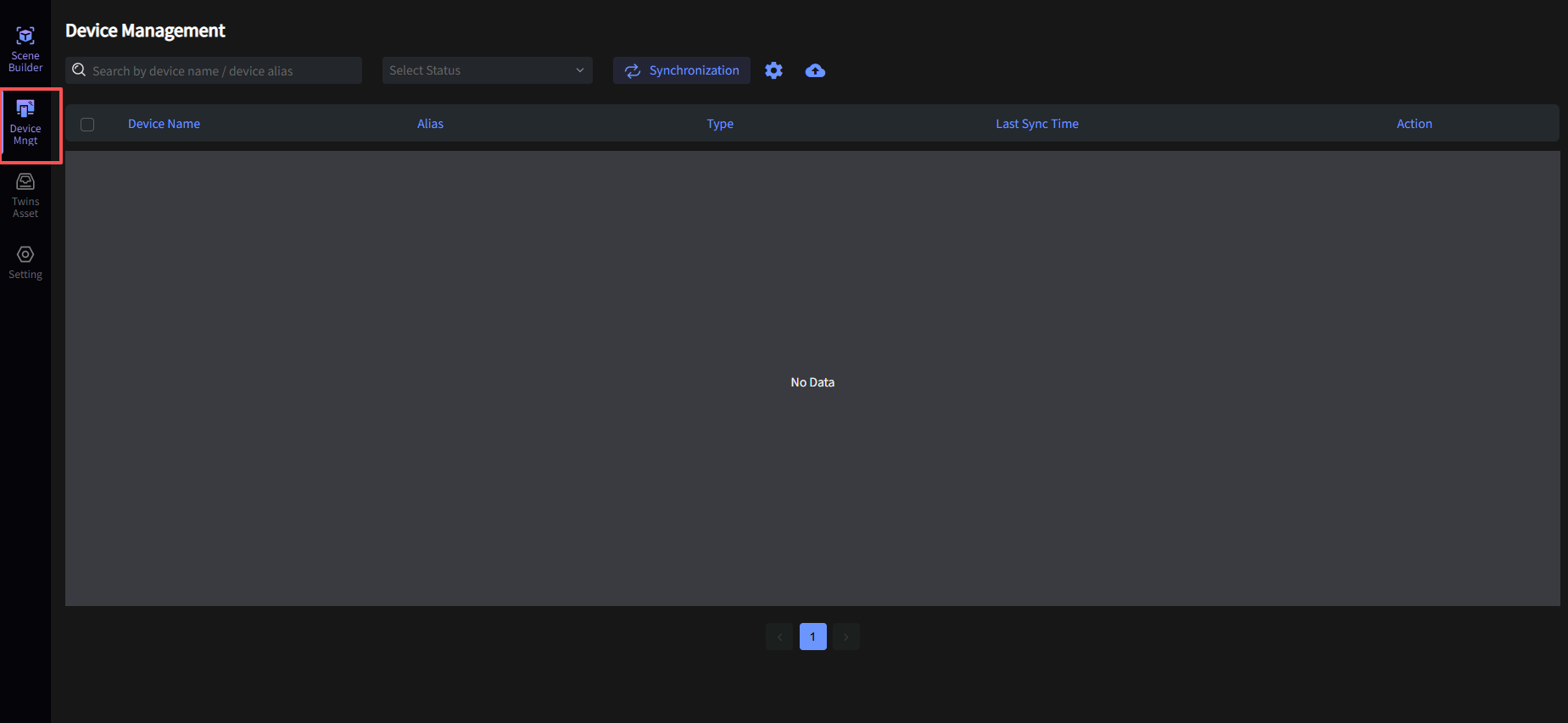
After entering the application, click "Device Mgmt" in the left menu bar to view the Device Management page:
Before You Start
Permission Configuration
To ensure normal use, your account needs Project Administrator permissions to view the Device Management interface.
Prerequisite Configuration
Please ensure your devices have been connected to the Data Platform. For details, see Device Access to Data Platform.
Device Synchronization
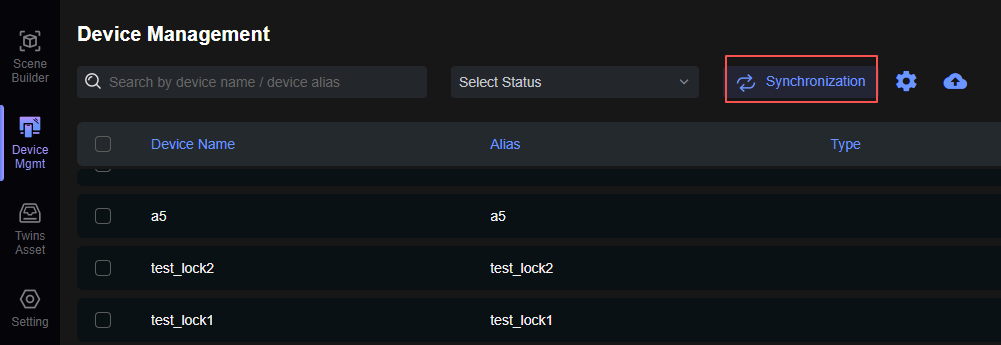
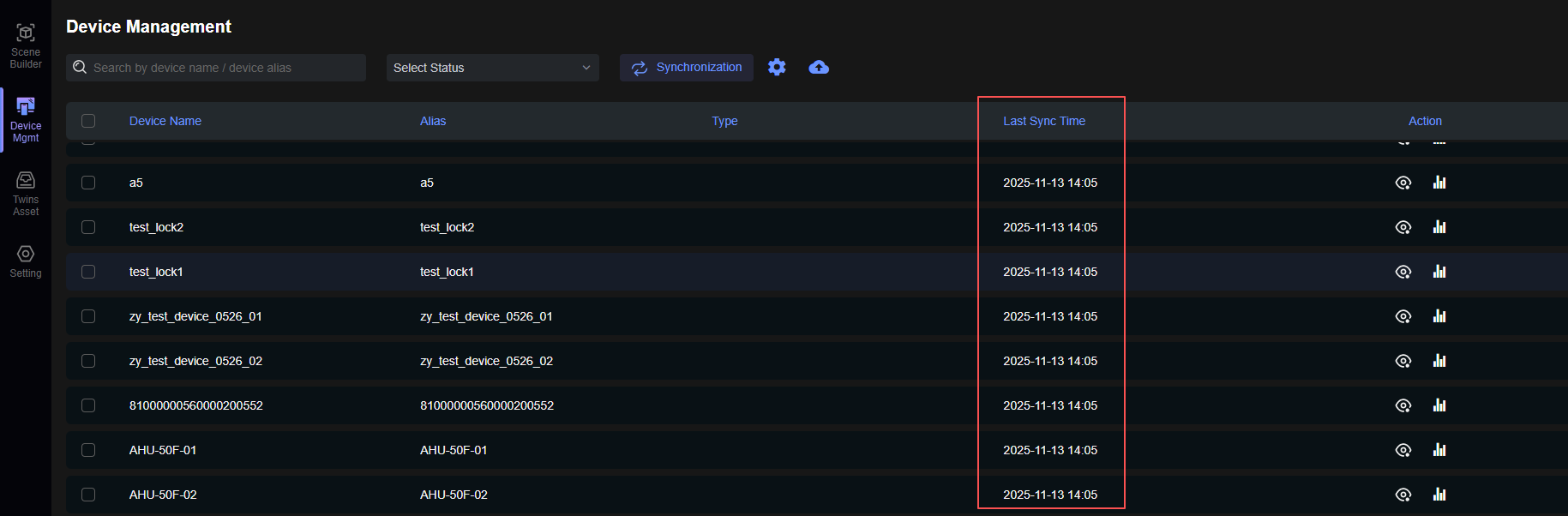
Click the Sync button to refresh the device data in the list. Upon successful refresh, you can see the last refresh time updated to the current time.
Device Details
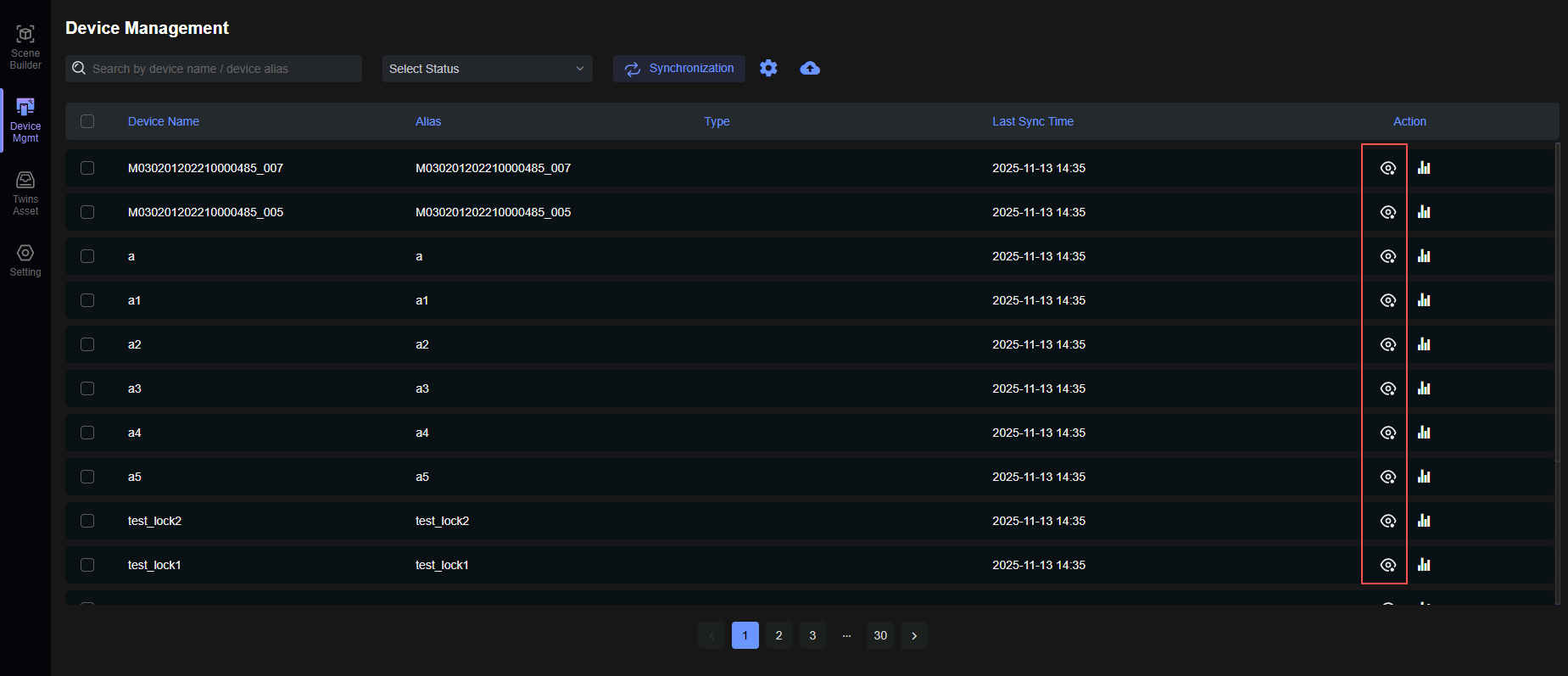
Click the eye icon in the far-right operation column of the device to view device details.
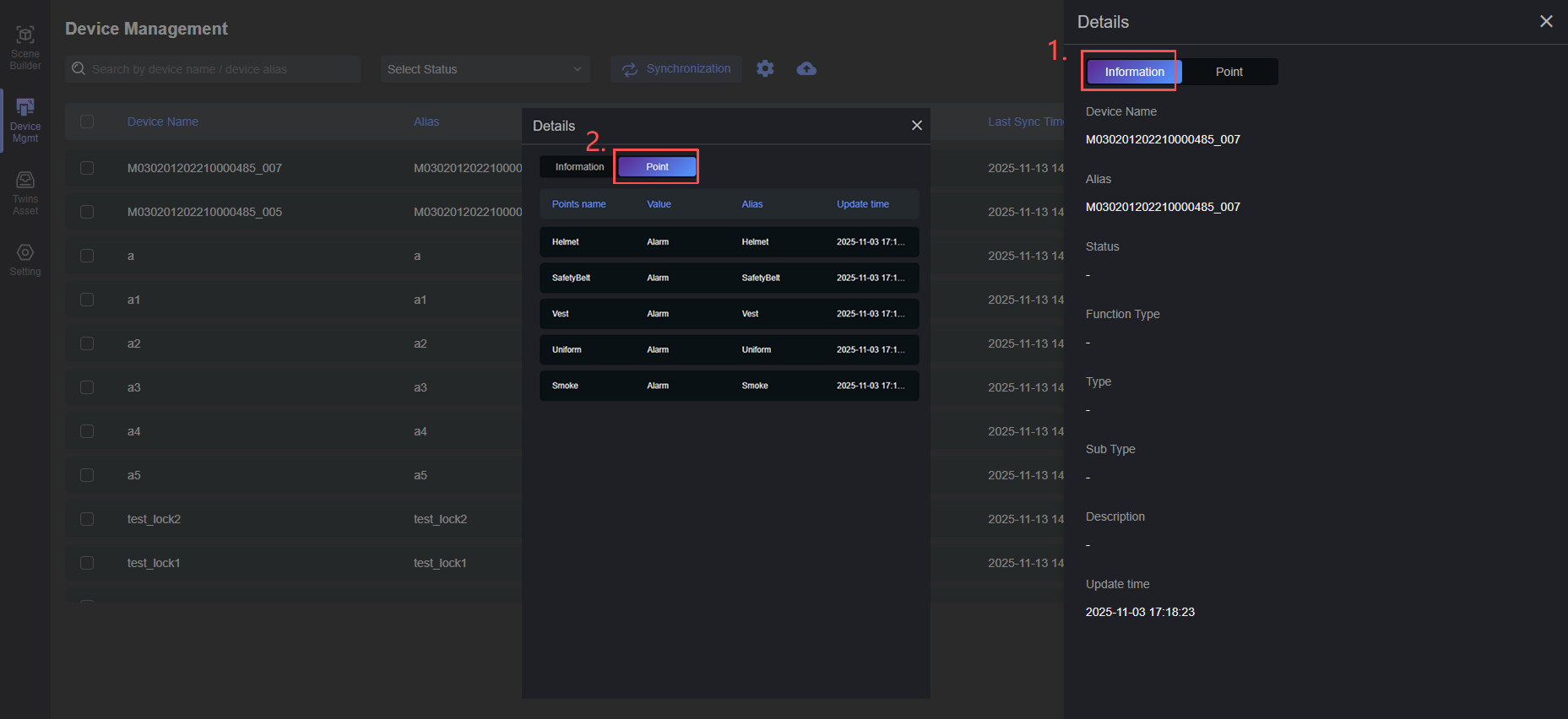
- Device Detail Information;
- Device Data Points.
Device Data
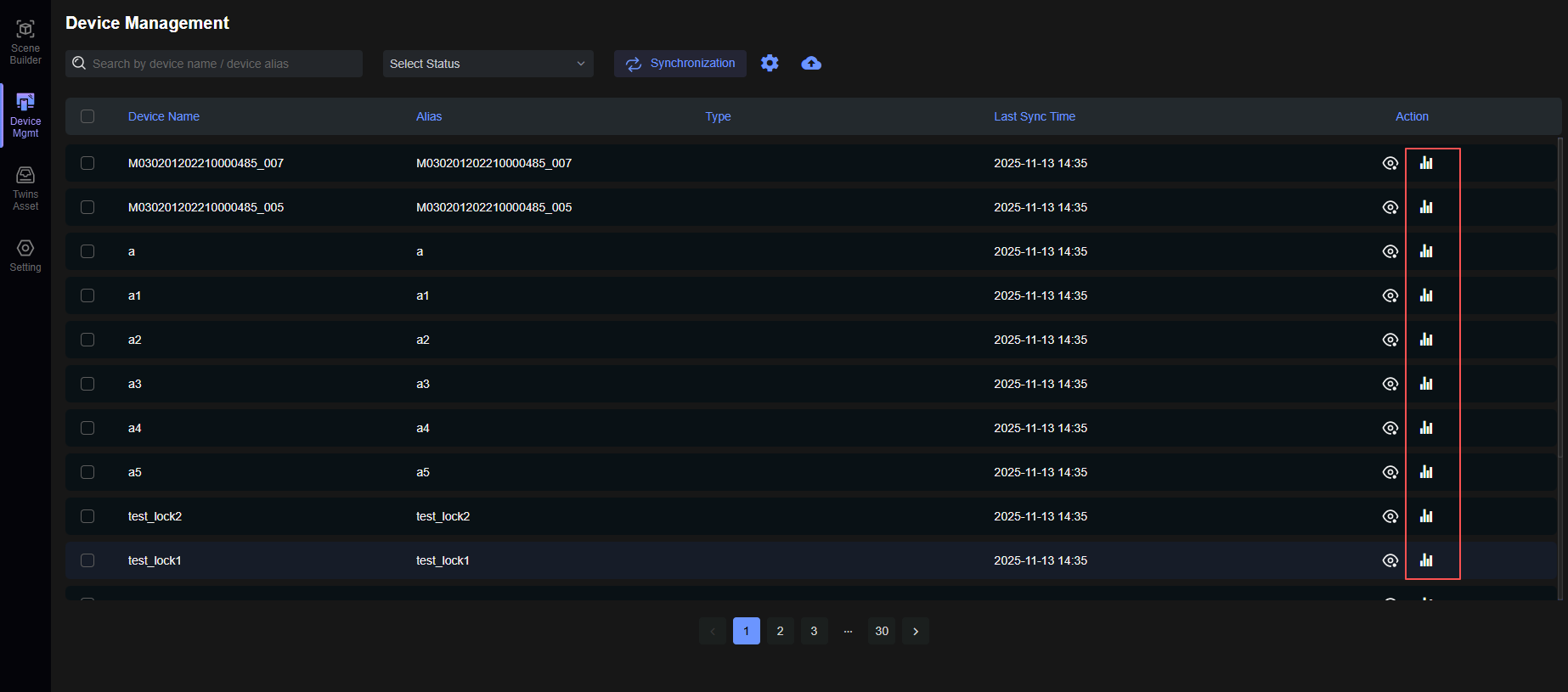
Click the bar chart icon in the far-right operation column of the device to view device data;
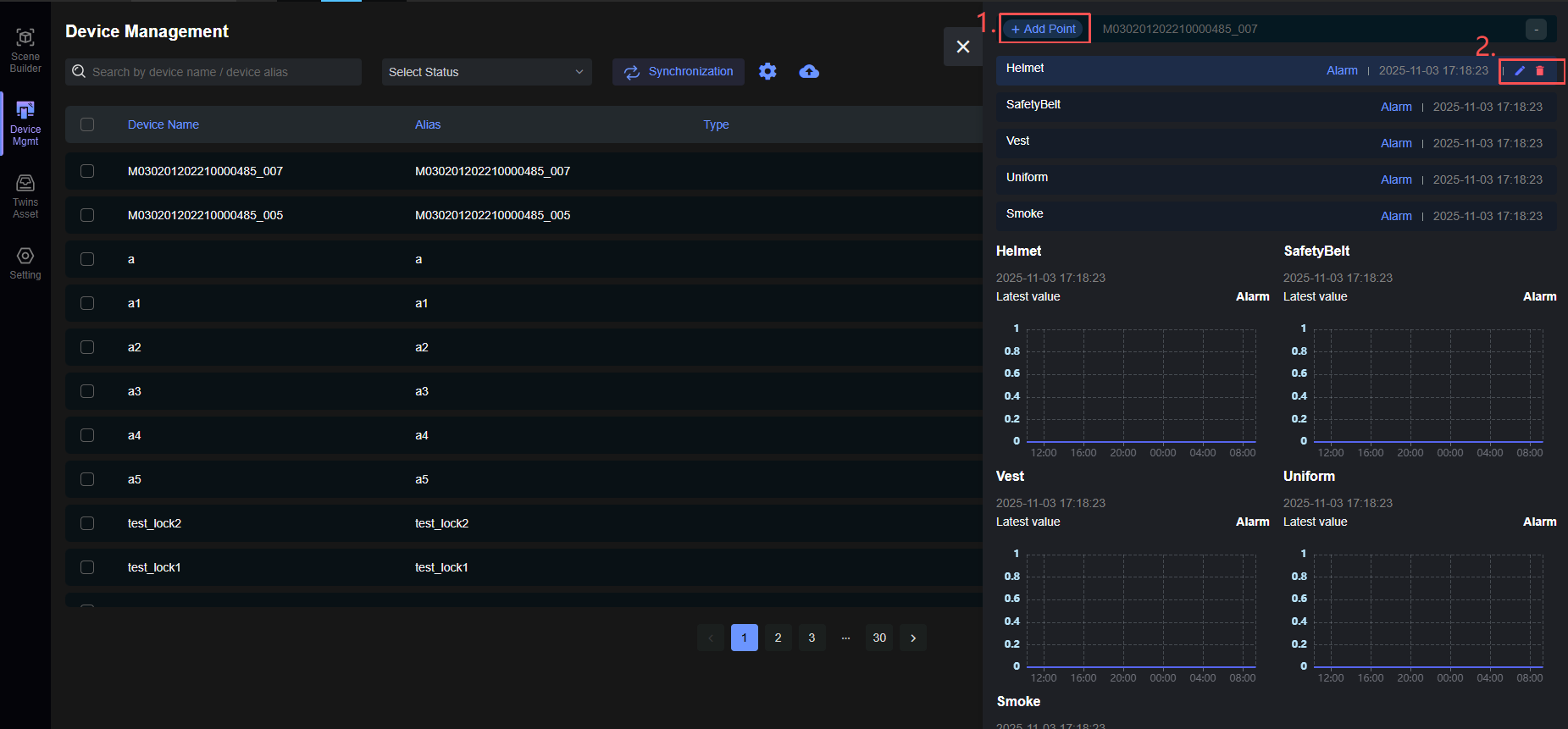
- Display data points by adding data points, available in both text and chart display modes;
- Edit and delete data points.
Device Point Placement
In digital twin applications, Devices can be bound to Twins Assets (Assets). This functionality is detailed in Scene Twins Asset List. You can click to view these sections.