Historical Alarms
Overview
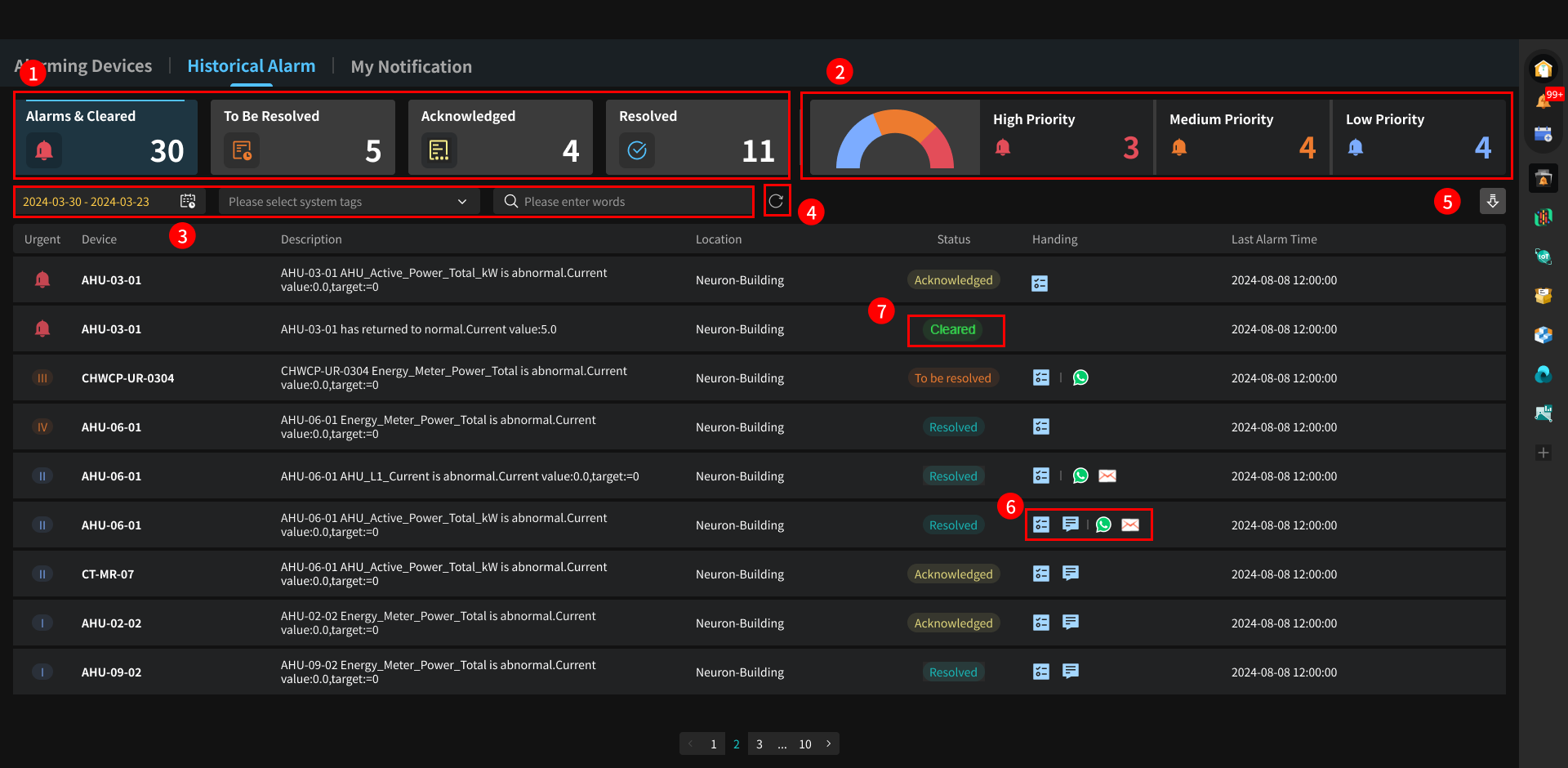
This module centrally displays the complete historical records of all alarms in the project. It provides multi-dimensional alarm statistics, supports linked filtering by time, device, and priority, and supports generating downloadable alarm reports, facilitating users to review, analyze, and archive alarm issues.
Page Details
-
From left to right: Total number of alarms (including alarms that have returned to normal) statistics, and counts of alarms in Pending, Acknowledged, and Resolved statuses.
-
Alarm message urgency statistics, divided into three levels: high (level 5), medium (levels 3/4), and low (levels 1/2).
-
Users can filter by keywords such as alarm time, alarm device thing model (data mid-platform configuration), and device name, and perform linked queries with message urgency and alarm message statistics.
- When no messages are found, the system will display this information to remind the user of the most recent message time.

- When no messages are found, the system will display this information to remind the user of the most recent message time.
-
Clear query conditions and refresh the page.
-
Generate an alarm list report for offline archiving and analysis.
-
Icons correspond to three workflow operations, from left to right: dispatching work orders, inspection records, and third-party notifications. Icons only appear when corresponding operations are performed.
-
Alarm cleared status: When a device's status changes from alarming to normal, the system will separately push a message indicating the alarm has been cleared, with the status recorded as "Cleared".